.png&w=96&q=75)
Four ways to run your code, and a robot to run them for you
Jobs shipped last week, the Quave ONE Agent and Automations are now live, and every database and service is automatic.
Hey,
Open a fresh Quave ONE account today and the first screen asks you one honest question: what do you want to launch? Four tiles, four answers. An App, a Database & Service, a Function, or a Job.
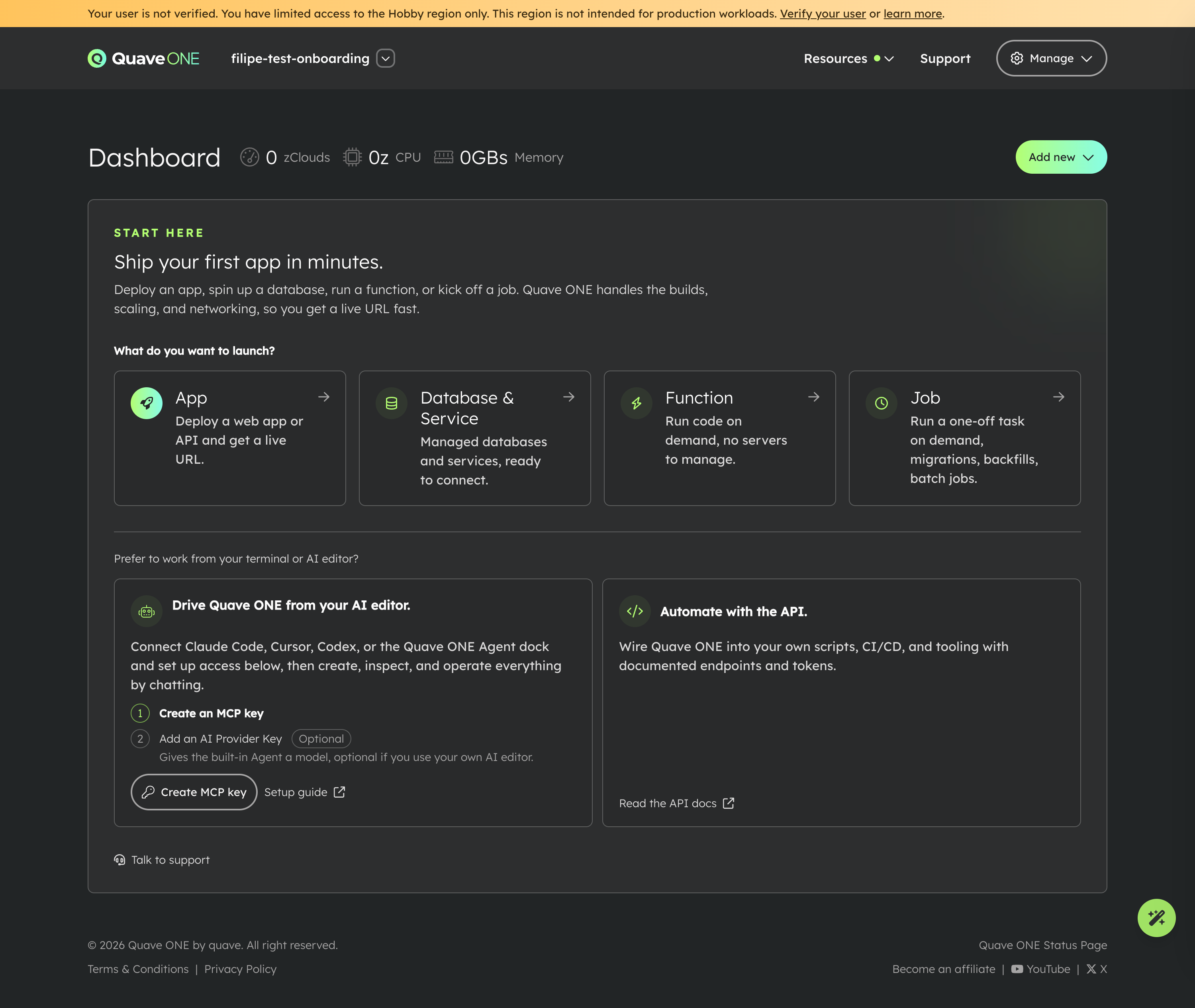
I want to walk you through those four, because some of them are new and some of them most people still don't know we have. Then I want to show you two things we shipped and never properly announced: the Quave ONE Agent and Automations. This email is the announcement.
The four types, in plain words
They share everything that matters - the same account, app, environment, region, permissions, billing, logs, metrics, and audit trail. What changes is how they run.
App. The one everybody knows. A long-running web app, API, or worker that should stay up. You get a live URL, containers, probes, autoscaling, storage, deploy history. This is your Meteor app, your Rails app, your Next.js app, your custom container.
Database & Service. Managed infrastructure that Quave ONE provisions and operates for you. More on this below, because it changed a lot.
Function. Code that runs on demand and scales to zero when nobody is calling it. Powered by Knative. Use it for webhooks, bursty APIs, AI callbacks - anything where traffic comes in spikes and you don't want to pay for idle containers. When no request arrives for a while, it goes to zero, and you pay nothing for that time.
Job. A command that runs to completion and then stops, once or on a schedule. A Rails migration, a backfill, an import, or a nightly cron. This is the one we shipped last week.
The difference is the shape of the work. An App should keep running. A Function wakes up for a request and sleeps again. A Job runs, finishes, and gets out of the way - once or on a cron. Pick by the question "how does this thing end?" - never, on idle, or on its own.
Full breakdown in the App Types doc.
Databases & Services are automatic now
This is the part I most want you to hear. You no longer set up databases by hand.
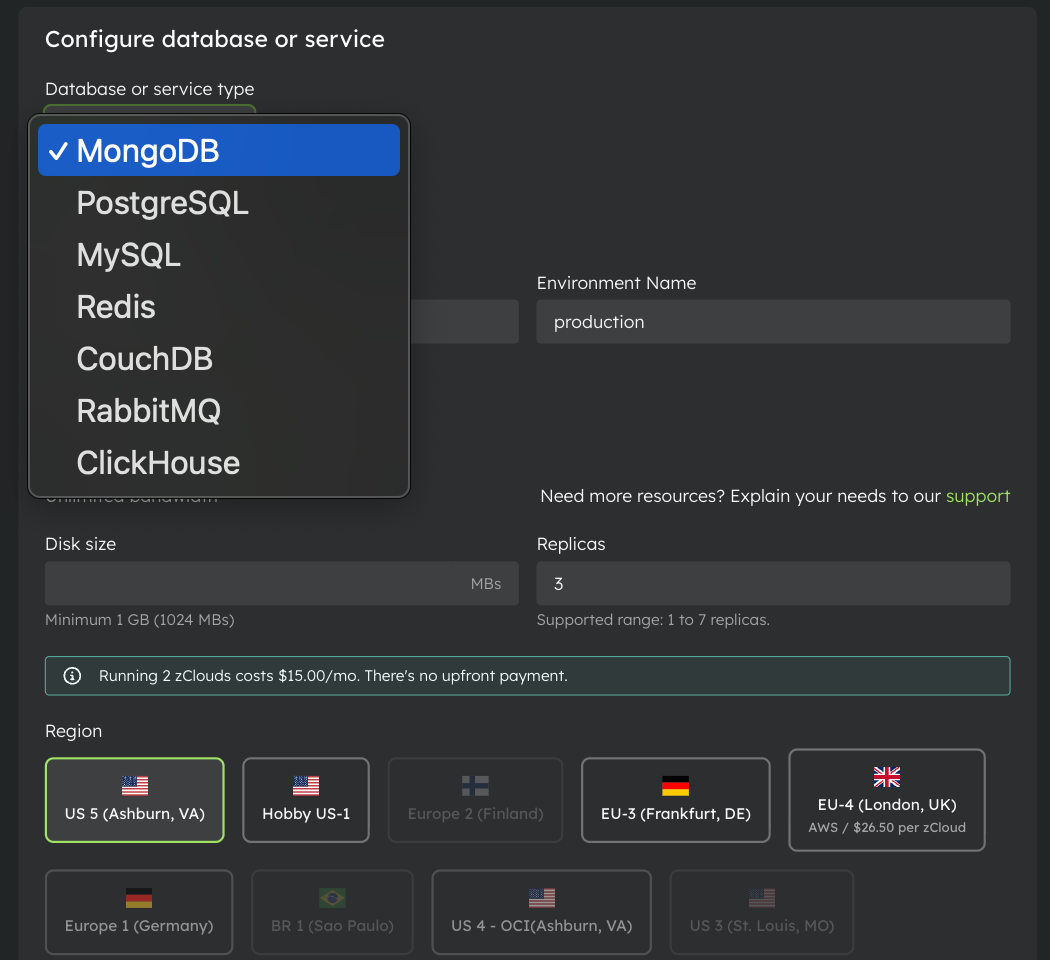
Pick PostgreSQL or MongoDB on the New Database screen and we provision it, generate the credentials, wire the connection string into your app, and handle HA-aware URLs when you're on a multi-node setup. One click. MongoDB auto-deploy used to be gated - it's open to everyone now, and the old manual flows are gone from the UI so the choice is obvious.
And it's not only databases. "Databases & Services" is the broader category, and it includes the services people forget we manage:
- databases: PostgreSQL, MongoDB, MySQL, CouchDB, ClickHouse
- caches: Redis
- queues and brokers: RabbitMQ
Same managed treatment: generated credentials, internal and external connection URLs, backups where supported, metrics, logs, and the DevOps automation running behind it. You stop being the person who babysits a Redis box.
Jobs (the new one)
Before Jobs, people ran migrations by sneaking a command into an app container, or worse, by letting a pod restart-loop until the script happened to finish. Both are bad. A failed migration should look like a failed migration, not like a healthy app that keeps crashing.
So now a Job is a first-class type. Every run creates a JobRun with its own status, command snapshot, timing, logs, and exit code. You can see exactly what ran, when, whether it succeeded, and what it printed. You can rerun, cancel, or inspect any past run later.
The use case I care about most is the Rails release: run bin/rails db:migrate as a Job, wait for it to actually succeed, and only then deploy the web app. We built the gate for you. quaveone job run --wait exits non-zero on any terminal status except SUCCEEDED, so a failed migration stops the deploy instead of shipping a broken release.
There's even a public demo repo with a full GitHub Actions workflow: quaveone/rails-migration-job-demo. Details in the Jobs doc.
The Quave ONE Agent
Here's the thing we never announced.
There is now an AI agent living inside the dashboard. You open the dock and ask it anything about your apps, environments, deploys, logs, and alerts, and it can actually do the work - create things, inspect things, operate things - by talking to your infrastructure through MCP. Not a chatbot that answers from a help page. An agent that reads your real account and acts on it.
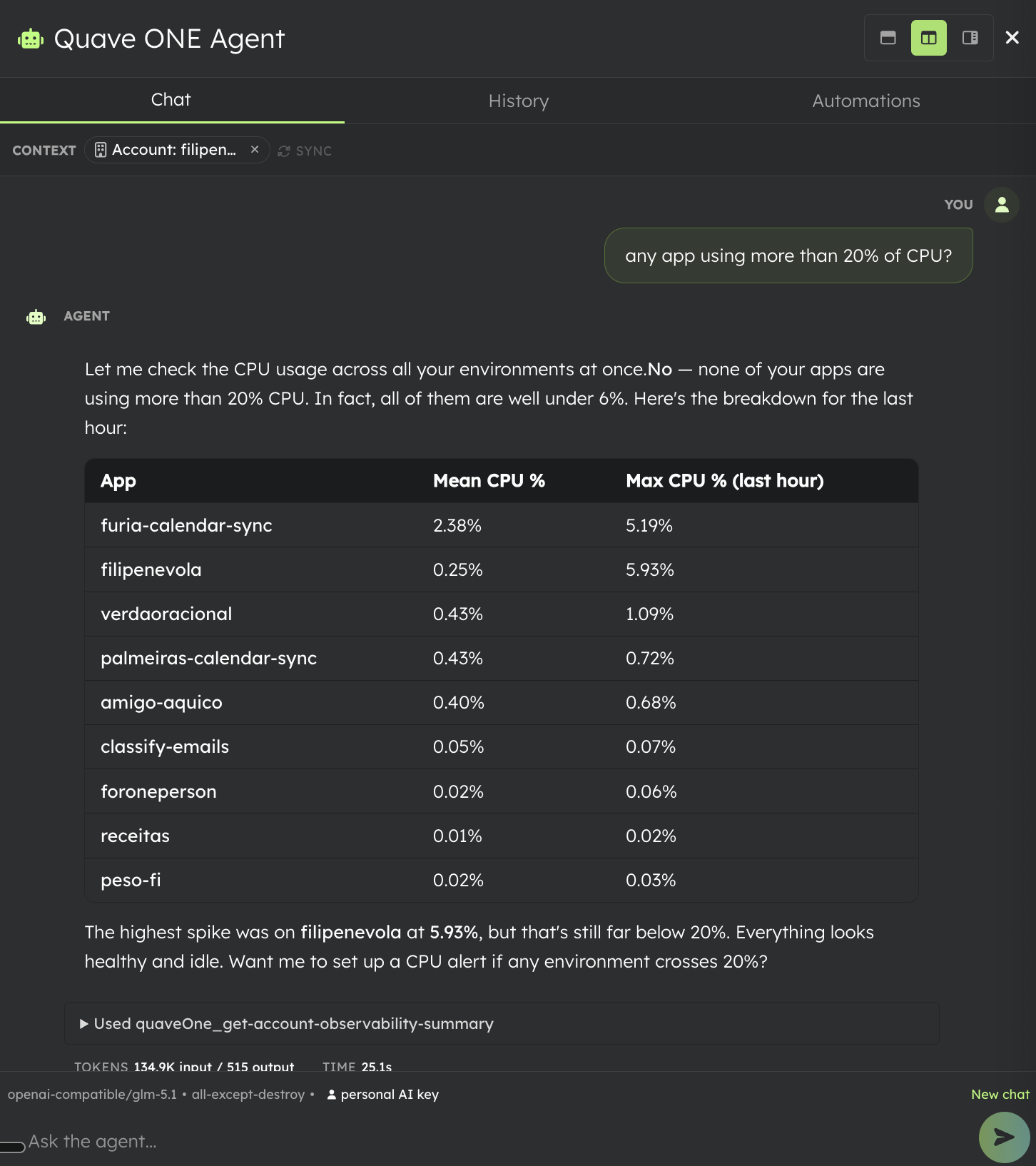
The other day I asked it a plain question: "any app using more than 20% of CPU?" It checked every environment at once, came back with a table of all my apps, and told me no - the worst spike was filipenevola at 5.93%, everything else under 1%. Then it offered to set up a CPU alert if any environment ever crosses 20%. I never opened a metrics page.
To turn it on, the home screen walks you through two steps:
- Create an MCP key. This is what gives any agent controlled access to your account, with the exact scopes you choose. The same key works from Cursor, Claude Code, or Codex, so if you'd rather drive Quave ONE from your editor, you can.
- Add an AI Provider Key. This gives the built-in Agent a model to think with. Optional if you only use your own AI editor, required if you want the Agent in the dashboard to work.
Two keys, and your cloud starts answering you. Setup is in the MCP doc.
Automations
The Agent is great when you're sitting there. Automations are what happens when you're not.
An Automation is a scheduled prompt. You write what you want checked, set a cron expression, point it at an MCP key and an AI provider key, and tell it where to send the result. Then it runs on its own and fans out to your contact points - and you can tell it to notify you only when something is actually wrong.
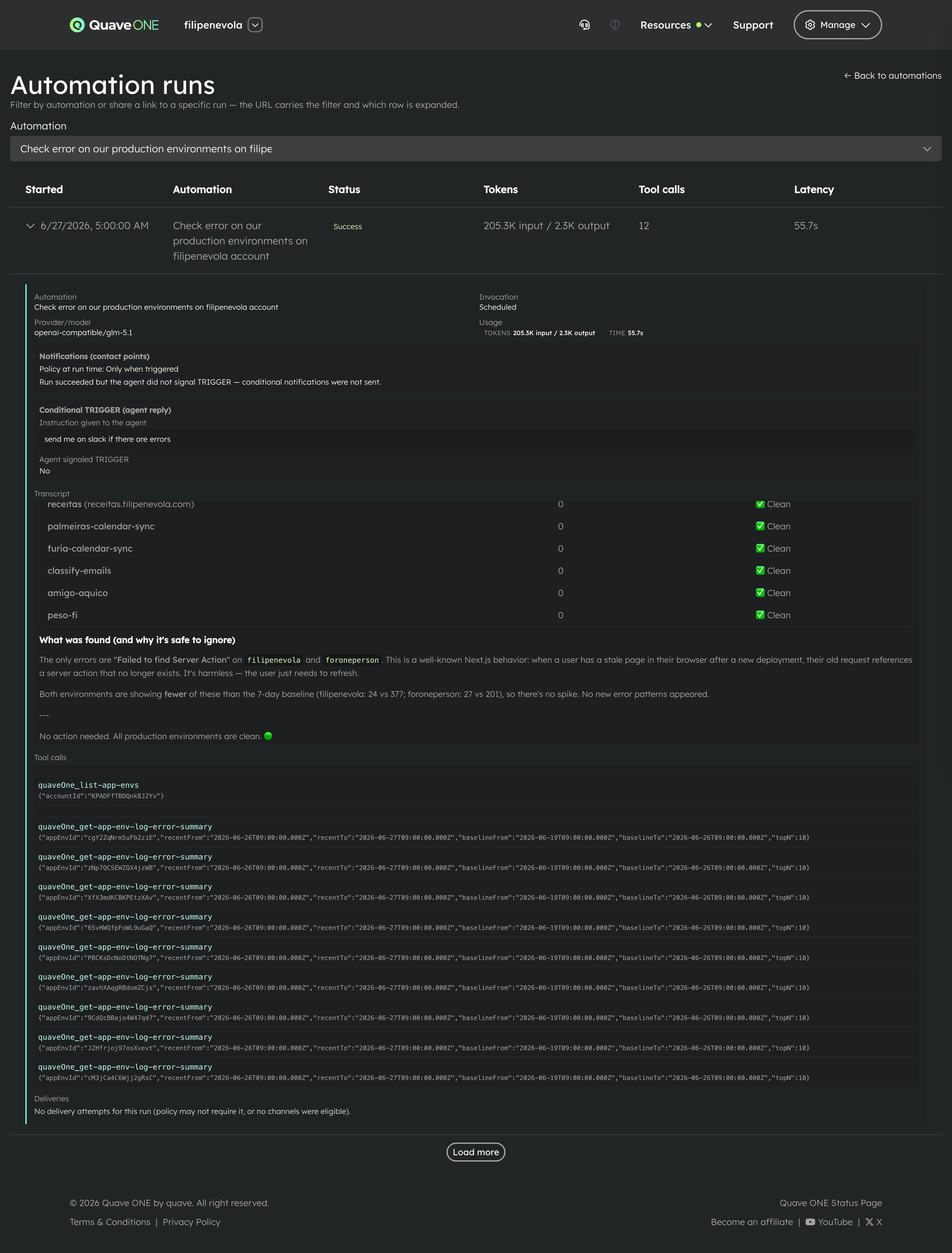
I have one called "Check error on our production environments" that runs every morning at 5 AM. The instruction is simple: "send me on slack if there are errors." This morning it scanned 9 production environments in the past 24 hours, found everything healthy, decided not to trigger, and stayed quiet. No notification, because there was nothing to say. That is the whole point - it works while you sleep and only wakes you when it matters.
Now do the same for your VMs - a daily check that looks for optimization opportunities on your nodes and pings you when there's money to save.
Manage them in the dashboard, or from the Agent Automations API.
To wrap up
Four ways to run code - App, Database & Service, Function, Job. Databases and services that set themselves up. An Agent that operates your cloud in a conversation, and Automations that operate it while you're away.
Open your account, look at that first screen, and create the one thing you've been putting off. Then reply and tell me which of the four you picked - I read every response.