.png&w=96&q=75)
Per-Environment Member Access and Updated Terms of Use
Hey, we have two updates worth your attention: we refreshed our Terms and Conditions with clearer language about what we provide, and we shipped per-environment member access so you can narrow what each person can see and do in Quave ONE.
Per-Environment Access for Members
You can now control which environments each account member can access - for example, keep production visible only to people who need it, or run several teams on the same account while each team only sees its own environments.
The feature is opt-in per account. Nothing changes until you turn it on under Access Control on the Members page. Until then, everyone keeps full access as before. After you enable it, people with Manage Members can choose full access or a specific set of environments per member. Restrictions apply consistently across the dashboard, API, CLI, and MCP.
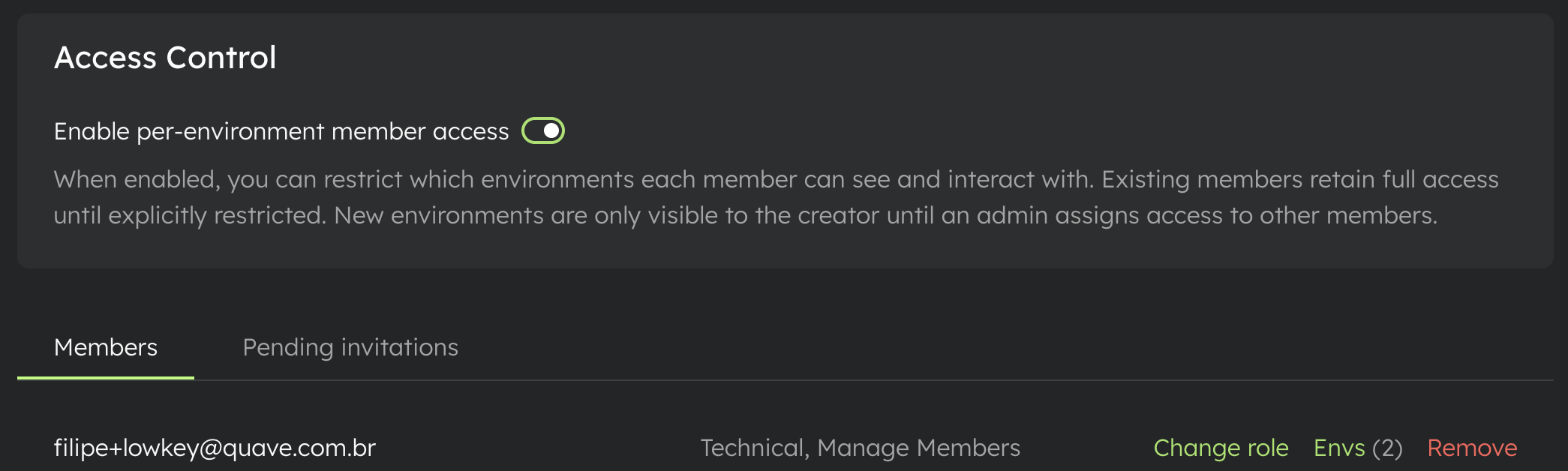
How to get started: open your account Members page, enable per-environment member access, then use the Envs control next to each member to set who sees what.
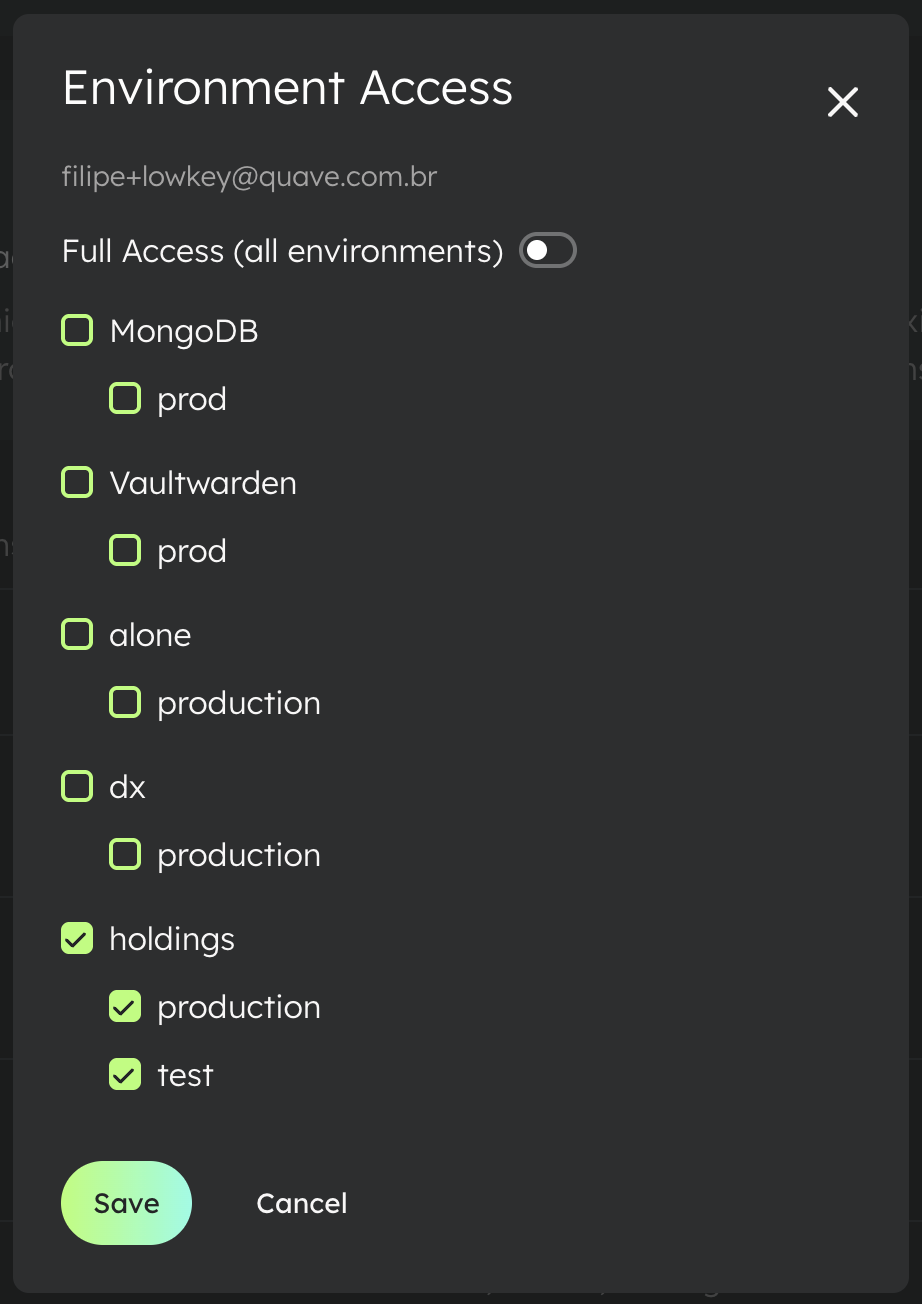
Full details: Per-environment member access in our docs.
Updated Terms of Use
On many sites, words like "services" or "privileges" are intentionally broad. That keeps legal text short, but it doesn't always spell out what you're actually getting from the product day to day.
We took another pass at our Terms and Conditions so they better describe Quave ONE - the site, the platform, and related offerings - in plain terms. If you use Quave ONE, it's worth a read so you know how the agreement is framed today.
Read the full terms here.
That's it for this week. Thanks for using Quave ONE - and if the new terms or access controls raise questions, reach out.